
Screenshots
About No Keyboard: Hideable keyboard
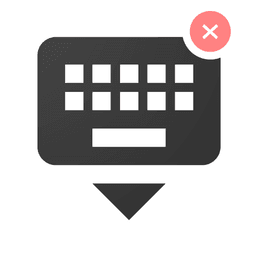
No Keyboard: Hideable keyboard is a minimal, secure keyboard designed to keep you productive while reading and typing. Unlike standard keyboards that constantly pop up and interrupt your workflow, this app lets you scroll through text, emails, and documents without intrusive keyboard overlays getting in your way.
Minimize accidental taps while scrolling. The hideable keyboard bar stays out of sight until you need it, reducing mistakes and keeping your screen clear. Transparency controls let you adjust the keyboard bar's visibility — set it nearly invisible or dial it up for prominence. Below transparency level 5, the keyboard icon vanishes entirely, reappearing when you increase the setting.
Works across all your devices. Use it on Android phones and tablets for touch typing, or pair it with wired and wireless keyboards on any device. Chromebook users get mouse-friendly navigation, while Android TV owners benefit from remote-friendly controls. A popup remote helps navigate apps that only support directional pad input, giving you full control via mouse or physical remote.
Setup takes seconds. Open the app, navigate to keyboard settings, enable No Keyboard, then switch your input method in your device's keyboard switcher. To unlock the popup remote feature, grant the "Display over other apps" permission. Once enabled, you're ready to work distraction-free.
No Keyboard: Hideable keyboard is built for anyone who types while reading — students reviewing notes, professionals managing email, or anyone frustrated by accidental keypresses. Simple, functional, and security-conscious.
Pros & Cons
Pros
- Keyboard hides when not needed, keeping more screen visible while reading
- Transparency controls let you make the keyboard bar nearly invisible
- Works with external keyboards, Chromebooks, Android TV remotes, and mice
- Quick setup with no complex configuration required
Cons
- Requires 'Display over other apps' permission for popup remote feature
- Limited to Android devices; no iOS or desktop alternative version
- Keyboard bar reappears automatically when transparency is below level 5
- May not work seamlessly with all third-party apps or input methods
Related Apps

Codex
AI code agent that writes, tests, and refactors code from natural language—integrate with GitHub and VS Code.

Sibelius
Music notation software for composing orchestral, jazz, and vocal scores professionally.

Scribus
Desktop publishing and page layout design with professional typography, PDF export, and free open-source tools.

CmapTools
Concept mapping software to visualize ideas, connect concepts, and collaborate in real time with multimedia support.

Get Coins for TIK Live Video
Mary Studio
Earn real coins for TikTok live videos by completing daily tasks. Boost engagement instantly.

GOSI
GOSI
Social Insurance services in Saudi Arabia—secure access to benefits, documents, and wellness tracking with GOSI.
Latest Articles
Best Adobe Audition alternatives for desktop in 2026 (7 tested)
Jul 10, 2026
Best AI computer-use agent apps for desktop in 2026 (we tested 7)
Jul 10, 2026
Best apps for a fresh Linux install in 2026 (7 picks the first hour)
Jul 10, 2026
Best apps for AI coding agent sandboxing on desktop in 2026 (we tested 7)
Jul 10, 2026
Best apps for Copilot+ PC NPU acceleration in 2026 (8 tested)
Jul 10, 2026